
Play Commander Online with the MTG Master Remote Table
By MTG Master EditorialPublished Updated 9 min read
Playing Commander online should not feel like fighting the tool.
A lot of Commander and EDH games are not about perfect automation. They are about the table: your hand, your battlefield, your commander, your opponents’ boards, life totals, tokens, counters, commander damage, and all the little manual decisions that happen during a real game.
That is the idea behind the MTG Master Remote Table.
It gives you a shared digital Commander table where you and your friends can play your saved decks remotely. No automatic rules engine, no weird forced sequencing, and no tool trying to decide if your play is legal.
You handle the rules. MTG Master handles the table.
What is the MTG Master Remote Table?
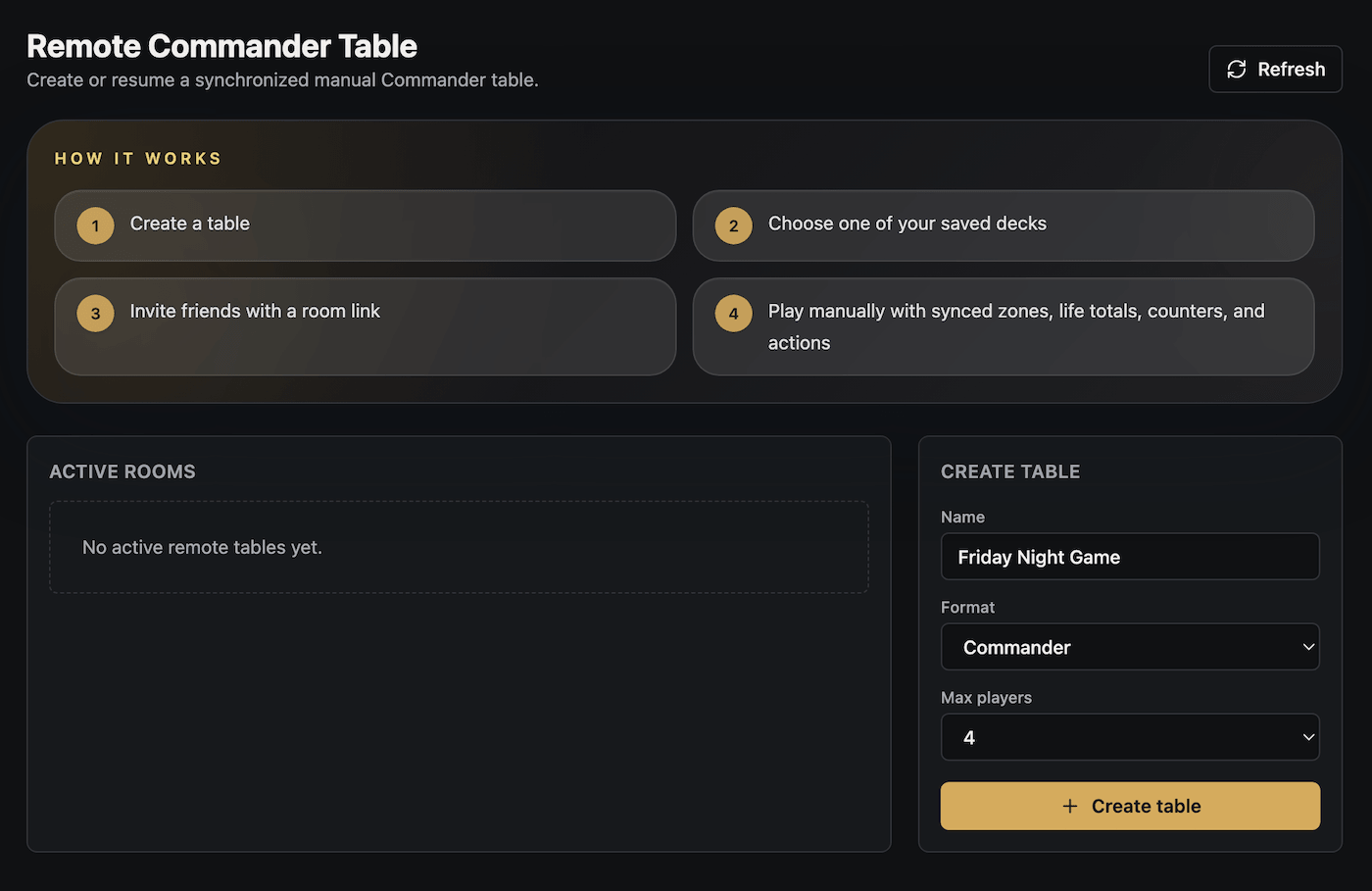
The Remote Table is a manual online Commander board built into MTG Master.
You create a room, invite other players, choose your saved deck, draw your opening hand, and play with a synchronized battlefield.
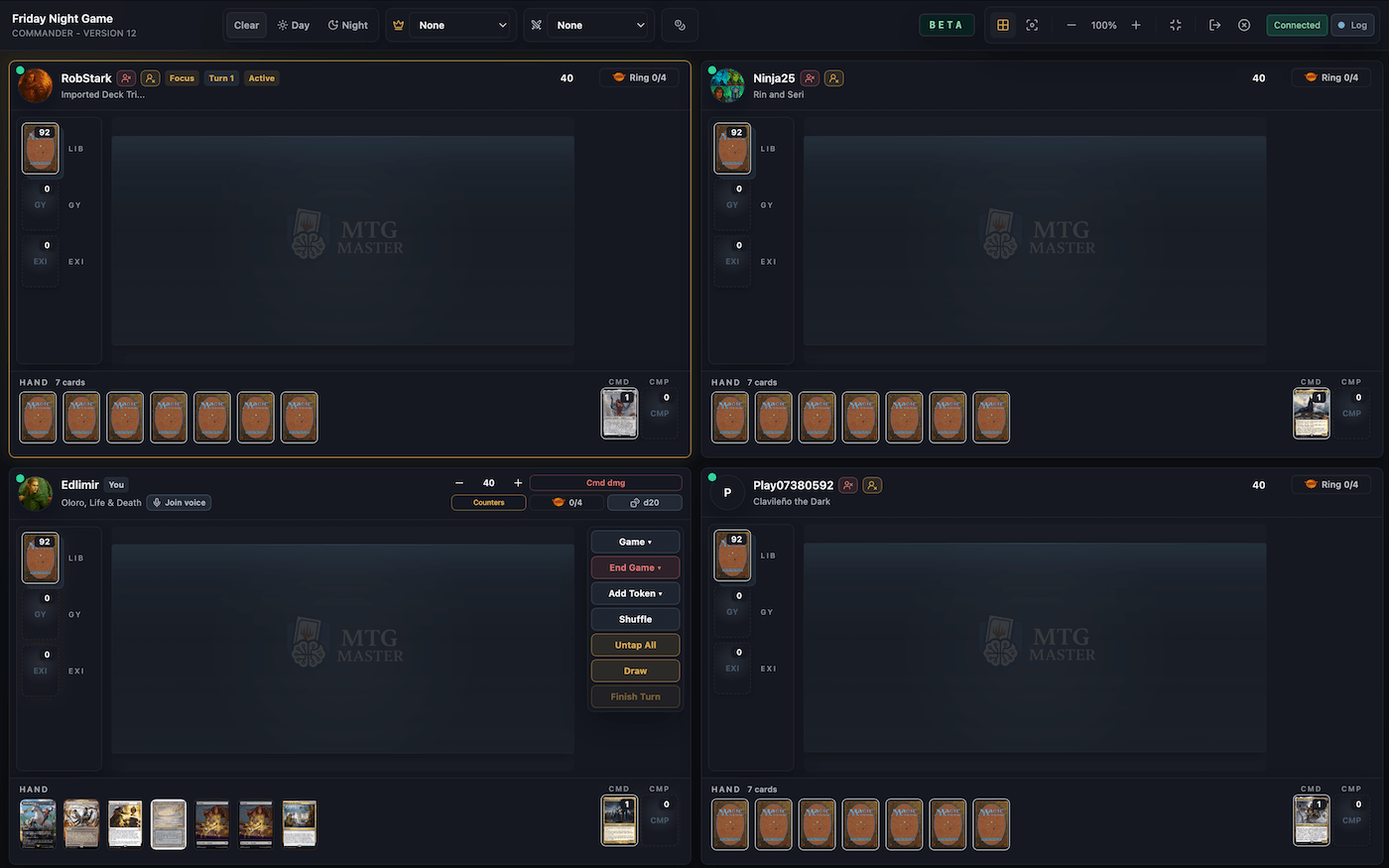
Each player has their own zones:
- Hand
- Library
- Battlefield
- Graveyard
- Exile
- Command zone
- Companion zone, when needed
The important part is that private information stays private. Your hand and library are yours. Opponents can see public zones and counts, but not hidden card identities.
This is not a rules engine
The Remote Table is not trying to be Magic Arena. It does not automatically check every trigger, target, replacement effect, mana payment, or stack interaction.
Commander has too many weird board states, table politics, shortcuts, house rules, missed triggers, and “wait, before that resolves…” moments.
So MTG Master keeps the product closer to playing paper Commander with friends, just with a clean synchronized board.
Why use a manual Remote Table?
Because sometimes you do not need full automation. You need a place where everyone can clearly see the game.
The Remote Table is useful when:
- your playgroup cannot meet in person
- you want to test a Commander deck with friends
- you want to play your MTG Master decks without rebuilding them somewhere else
- you want a cleaner board than a webcam setup
- you want private hands and libraries handled by the app
- you want life totals, commander damage, tokens, counters, and logs in one place
- you want to play Commander online without learning a complicated simulator
It is especially useful if you already build and manage your decks in MTG Master, because your saved deck is already there. No exporting, no importing somewhere else, and no rebuilding the deck card by card.
How a game works
A Remote Table game follows a simple flow.
- Create a remote Commander table.
- Choose the format, like Commander or Pauper Commander.
- Invite your friends with a link.
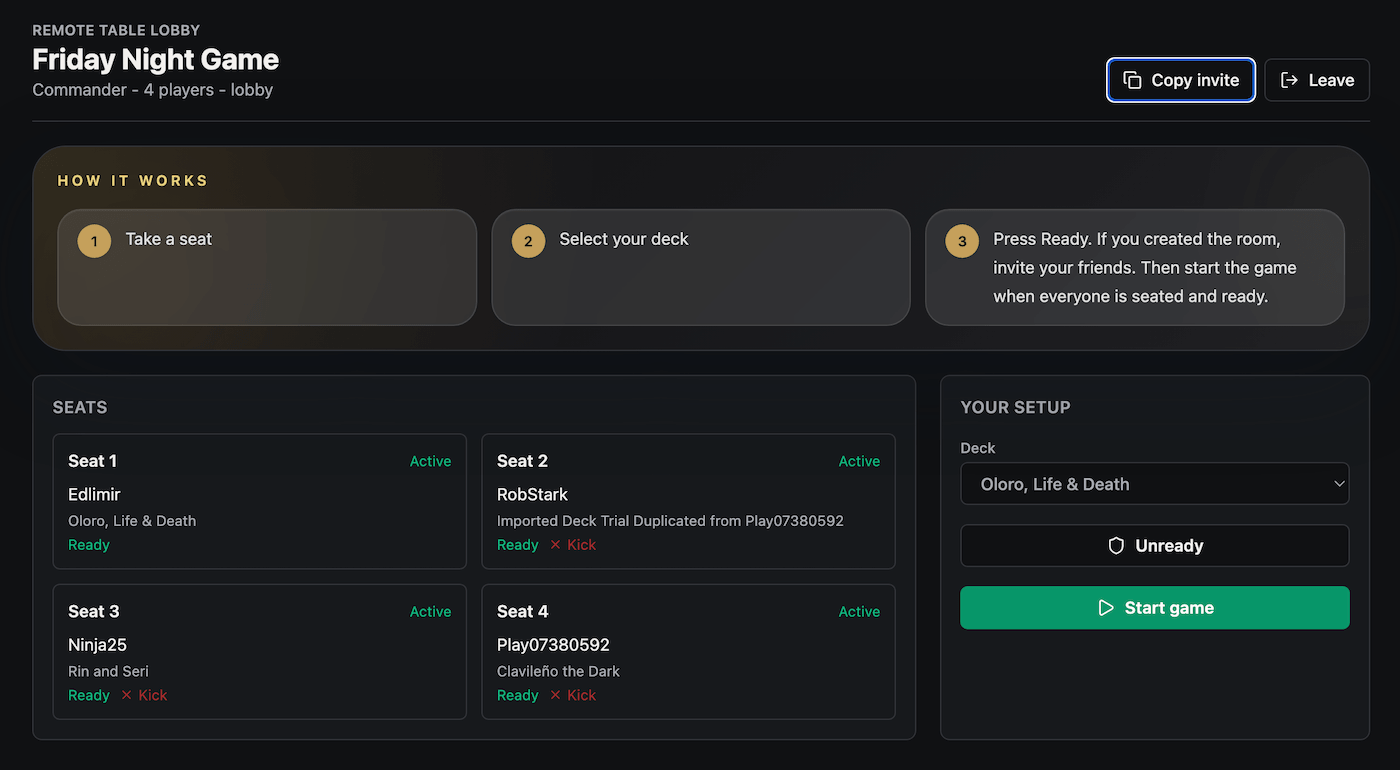
- Each player chooses a seat.
- Each player selects one of their saved decks.
- Everyone confirms they are ready.
- Players draw opening hands and handle mulligans privately.
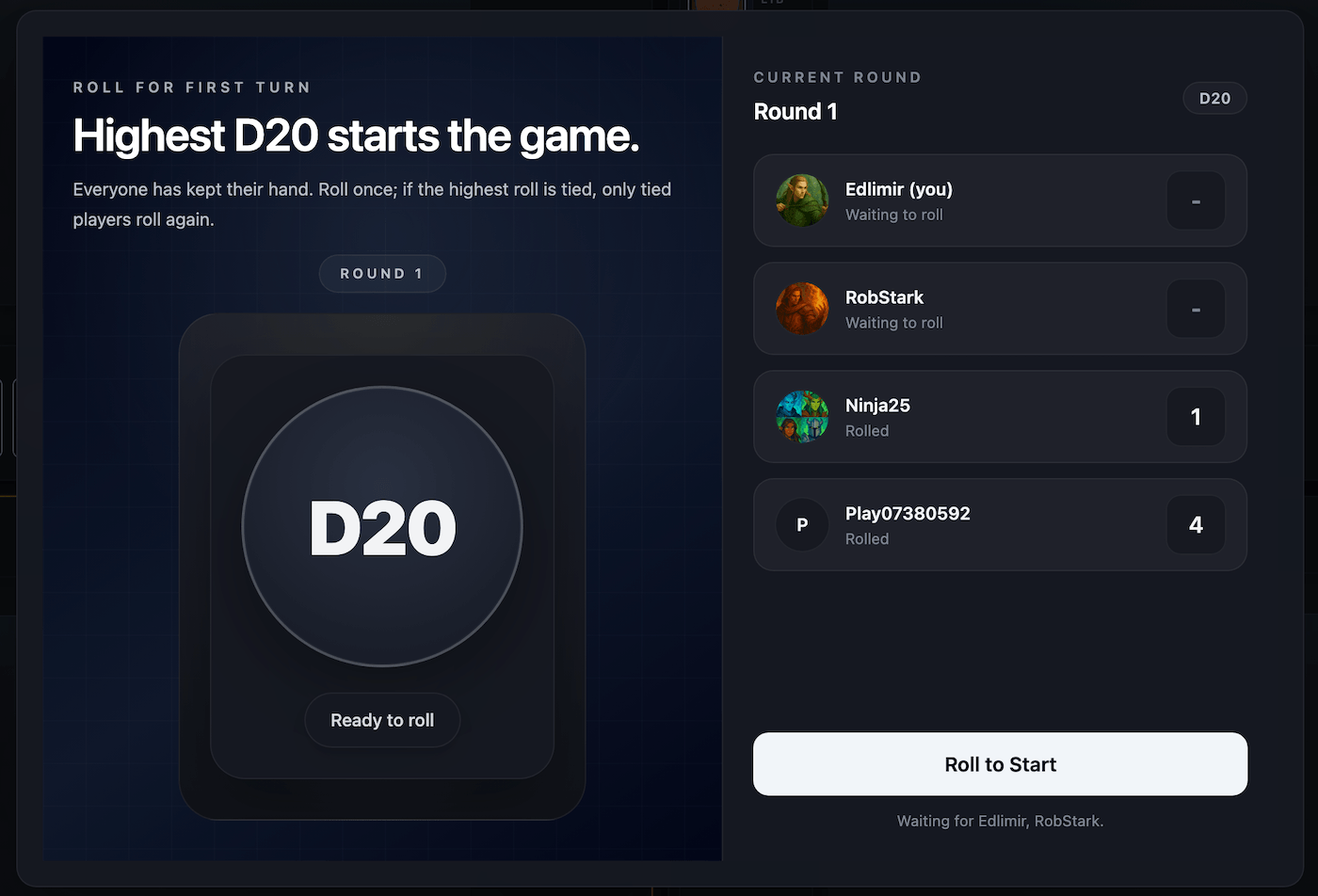
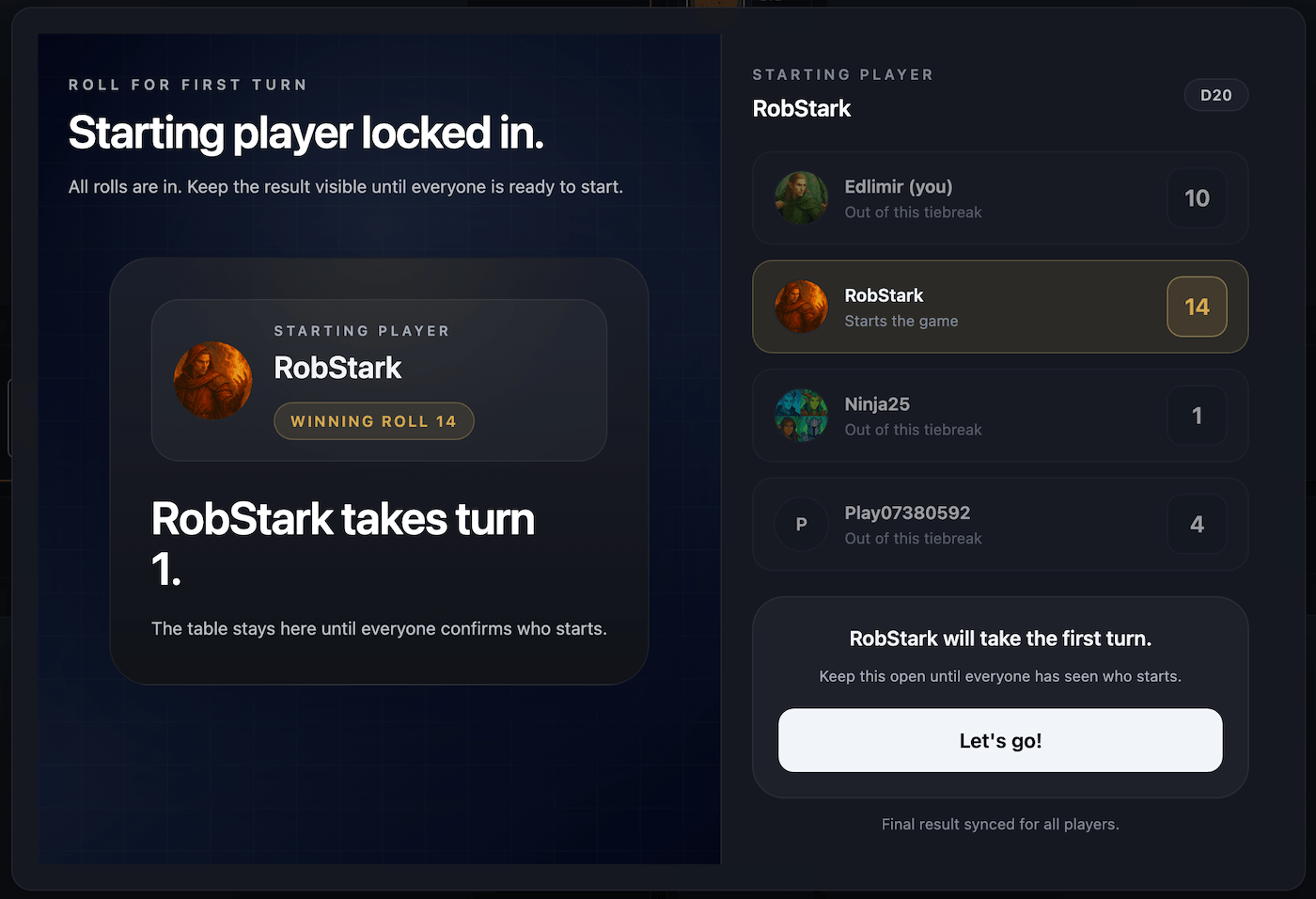
- The table rolls to decide who starts.
- The game begins.
From there, it plays like a manual Commander game. You can draw, move cards, tap and untap permanents, create tokens, add counters, track commander damage, and move cards between zones. The board syncs for everyone.
Designed for real Commander games
Commander games get messy fast. One player has ten lands, two Treasures, three enchantments, a commander, and a planeswalker. Another player has a token army. Someone else has a graveyard full of relevant cards.
The Remote Table is designed around that reality. The goal is not just to show cards. The goal is to keep the game readable.
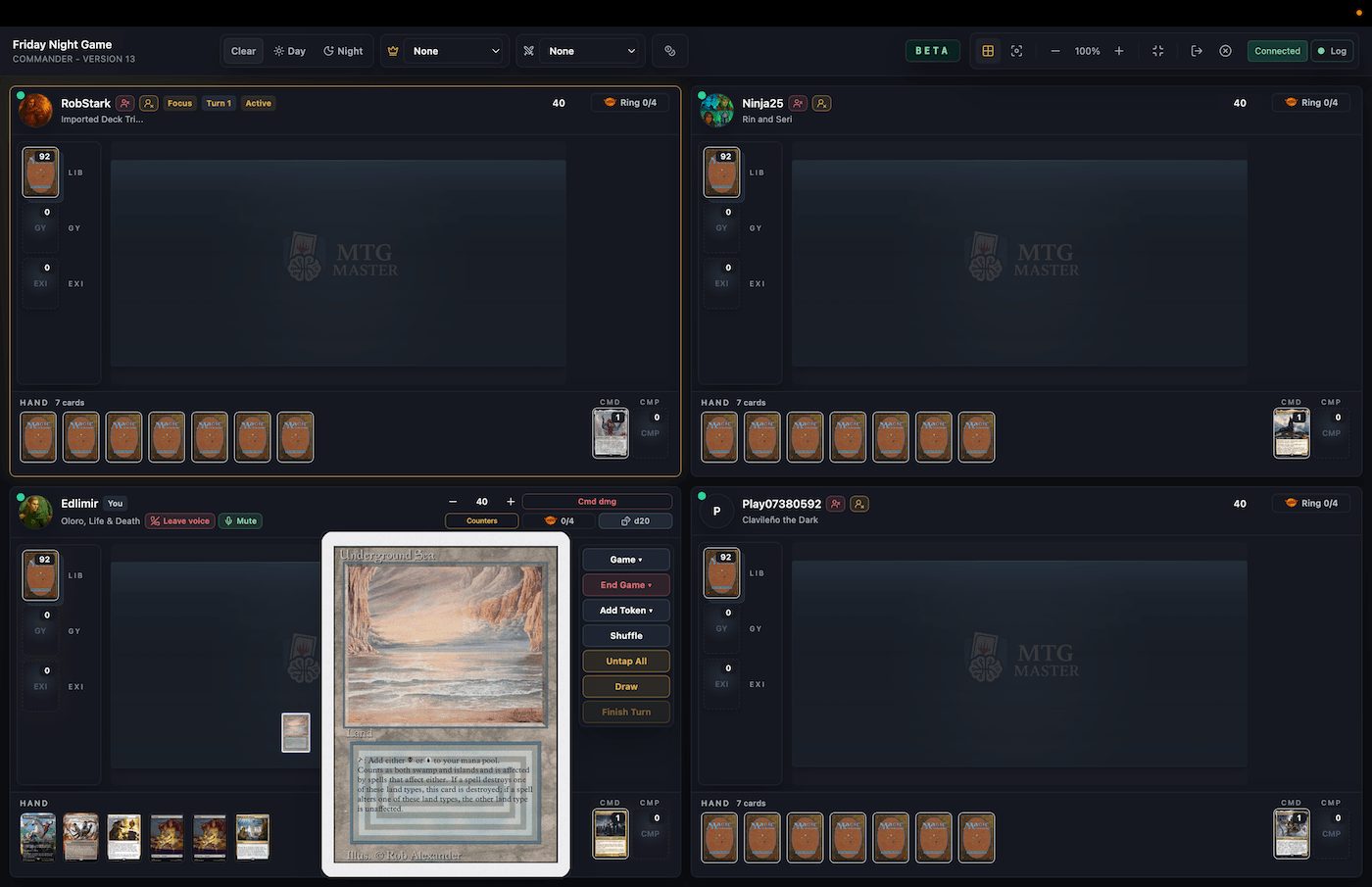
Each player gets a clear battlefield area, compact zone controls, visible life totals, hand and library counts, and access to public zones without losing the sense of a real shared table.
Table View and Focus View
Table View shows multiple battlefields at the same time. That matters in multiplayer Commander, because you do not want to focus only on your own board and miss that another player just built a lethal position.
Focus View lets you zoom into one player’s battlefield while still keeping the rest of the table visible through smaller live previews.
The idea is simple: inspect a board state when you need to, but never feel disconnected from the pod.
Stable battlefield layout
Each battlefield keeps the same shape across views. A card placed on the battlefield should not disappear or jump around just because you switch between Table View and Focus View.
That sounds small, but it matters a lot for real play. Commander boards need to feel stable. If you move a card to one side of your battlefield, you should still know where it is when you change view.
Private zones stay private
Hidden information is a big part of Magic. In the Remote Table:
- you can see your own hand
- you can inspect your own library
- opponents only see your hand count
- opponents only see your library count
- graveyard, exile, battlefield, command zone, and companion zone are public
- revealed cards can be shown to the table when needed
So if you open your library, opponents should not see your cards. But the table can still show an activity log entry like Marc opened their library. That keeps the game transparent without leaking hidden information.
Event log
The Remote Table includes an event log so players can follow what happened, even when a lot is going on.
- A player drew a card.
- A player took a mulligan.
- A player kept their opening hand.
- A player shuffled their library.
- A player viewed cards from their library.
- A player moved a card to the battlefield.
- A player changed their life total.
- A player created a token.
The log is not meant to replace talking. It is there to make the table easier to follow when people miss something for a second or need to confirm how a board changed.
Opening hands, mulligans, and who starts
The Remote Table supports the start of the game properly. Each player draws their opening hand privately and can mulligan without exposing their cards.
Once a player keeps, the table knows they are ready. After everyone has kept, the table can move to deciding who starts.
That is much cleaner than handling opening hands over screenshots or chat, and it keeps the start of the game synchronized for the whole pod.
Commander damage, tokens, counters, and manual actions
The Remote Table focuses on the actions you actually need to play Commander well.
- draw cards
- shuffle your library
- view your own library
- move cards between zones
- play cards to the battlefield
- tap and untap permanents
- adjust life totals
- roll a d20
- create tokens
- use counters
- track commander damage
- manage your command zone
- inspect public zones
- follow the event log
Commander damage matters here. You can track commander damage from each opposing commander separately, including partner commanders from the same player, while the table keeps life totals and board context readable.
Commander and Pauper Commander support
The Remote Table is built for Commander first, but it also supports Pauper Commander.
- Commander starts at 40 life.
- Pauper Commander starts at 30 life.
- The table uses the right life totals, zones, and commander damage setup for the selected format.
The table does not need a different rules engine for each format. It just needs the right setup, zones, life totals, and commander handling.
Built-in voice for the pod
Built-in voice is part of the Remote Table itself. Seated players can join from the room header, talk through turn cycles, and keep the conversation attached to the same table state everyone is using.
That matters in Commander because shortcuts, politics, threat assessment, and missed actions are easier to resolve when the pod is speaking in the same place where the game log and battlefield already live.
Remote Table vs webcam play
Webcam Commander works, but it comes with common problems: card text can be hard to read, lighting matters, camera angles matter, tokens and counters are easy to miss, and private zones still need to be managed separately.
The Remote Table takes a different approach. Instead of pointing a camera at paper cards, everyone plays on the same digital board with their saved MTG Master decks.
That means the board state is cleaner, cards can be previewed, zones are structured, and the game can be followed more easily.
Remote Table vs a full simulator
Some online Magic tools try to automate more of the game. That can be powerful, but it can also become heavy.
The Remote Table is intentionally more manual. That gives it a few big advantages:
- less fighting the software
- easier Commander shortcuts
- easier handling of unusual cards
- better support for casual pods and table politics
- less need to script every card
- faster to understand if your group already knows how to play
If your group already knows Magic, you do not need the app to be the judge every second. You need a reliable shared table.
Best way to use it
The Remote Table works best when players treat it like a real paper table.
- join the built-in pod voice once everyone is seated
- prefer current desktop Chrome, Edge, or Firefox for the smoothest voice setup
- say your actions out loud
- use the event log to catch missed actions
- keep your battlefield organized
- use counters and tokens clearly
- focus opponent boards when you need to inspect them
- keep commander damage updated
- use the table as a shared board, not as a rules referee
- prefer a desktop or laptop screen for the full table view
Who is this for?
The Remote Table is for Commander players who want to play online with less friction.
- regular playgroups
- testing new decks
- remote friends
- Commander nights when people cannot meet
- Pauper Commander pods
- players who already manage decks in MTG Master
- players who prefer manual Commander over automated clients
It is not designed as ranked competitive Magic and it is not trying to be a tournament platform. It is a casual remote table for real Commander games.
Why this matters for MTG Master
MTG Master already helps you build, analyze, tune, and understand Commander decks. The Remote Table adds the next step: actually playing those decks with other people.
That matters because deckbuilding does not end when the list is finished. A deck can look good on paper and still feel clunky in real games.
- Build or import a deck.
- Analyze it.
- Play it remotely.
- Notice what felt weak.
- Tune it again.
That is exactly the kind of Commander workflow MTG Master is built for.
Final thoughts
The MTG Master Remote Table is built around a simple idea: Commander online should still feel like Commander.
Not automated solitaire. Not a rules engine fighting you. Not a messy webcam where nobody can read anything. Just a clean shared table where you and your friends can play your saved decks, manage the game manually, and keep the board state clear.
Create a room, invite your pod, choose your deck, and play. The rules are still yours. MTG Master just gives you the table.